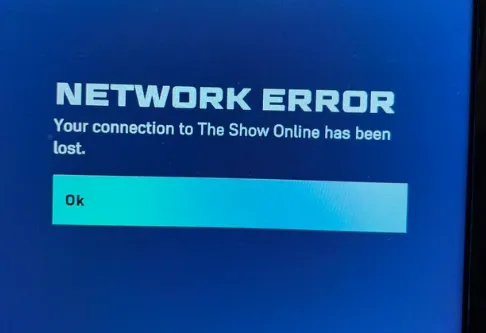
If you're having network issues in MLB The Show 26 on Xbox, here's what you can try to fix it:
What You Can Try
- Basic Network Reset. Restart your router and modem by unplugging them for 1–2 minutes, then reconnect them.
- Clear Game Reserved Space (Xbox). Go to Manage Game & Add-ons → Saved Data → and clear the reserved data for the game.
- Hard Reset Console. Power down your Xbox, unplug it for 30 seconds, then plug it back in and restart.
- Try Another Mode. If offline modes are working fine, it might indicate a server-side issue.
Troubleshooting Steps (Xbox)
- Power Cycle Console & Router: Turn off your Xbox, unplug both your modem and router for 30 seconds, then reconnect and restart your console.
- Check Server Status: If other online services are working fine, the issue might be on the game's servers. SDS servers had issues in March/April 2026.
- Change DNS Settings: Update your DNS settings to Google's (Primary: 8.8.8.8, Secondary: 8.8.4.4) to improve connection.
- Clear Persistent Storage: Go to Settings > Devices & Connections > Blu-ray > Persistent Storage and clear it.
- T-Mobile Home Internet Issues: T-Mobile has had problems with The Show servers. If you're using T-Mobile, try switching to a mobile hotspot to see if that fixes the problem.
Quick Fixes & Workarounds
- Use the "Account Offline" Trick: Instead of restarting the whole game, go to your profile icon, select Account Offline, then log back in. This can quickly reconnect you to the servers.
- Check for Manual Updates: If you can't find opponents, manually check for updates in Manage Game & Add-ons.
- Disable Cross-Play: Some users report fewer disconnects when turning off cross-platform play in the settings.
- Switch to Wired Connection: A wired Ethernet connection is more stable and reduces packet loss compared to Wi-Fi.
If you're dealing with network issues in MLB The Show 26 on Xbox, trying the solutions above should help improve your connection. However, if you're looking to make the most out of your experience, don't forget about MLB The Show 26 Stubs—you can use these in-game to upgrade your roster or get the best gear. For the best deals and instant access to MLB The Show 26 Stubs, head over to SHANNENG, where you can buy secure Stubs for Xbox. Whether you're dealing with connection issues or just looking to level up your gameplay, SHANNENG ensures you get what you need fast and safely.
Check Server Status First
Before troubleshooting your hardware, make sure the game's servers are up and running:
- Official Social Media: Check the @MLBTheShow Twitter for maintenance or outage notices.
- Server Trackers: Use sites like Downdetector to see if others are having similar issues.
- Xbox Network Status: Ensure Xbox Live services are working by checking the Xbox Support Status page.
Local Troubleshooting
If the servers seem fine, try these fixes to improve your connection:
- Check for Game Updates: Go to your Xbox home screen to check for any updates that might fix disconnect bugs.
- Hard Reset Your Console: Avoid "Rest Mode" or "Instant-On." Fully power down your Xbox, unplug it for 60 seconds, then restart.
- Switch to a Wired Connection: MLB The Show is sensitive to packet loss, so using an Ethernet cable will reduce connection issues.
- Toggle Cross-Play: Disabling cross-platform play might help with stability and syncing during matchmaking.
- Modify DNS Settings: If you're using T-Mobile internet or have high latency, change your DNS settings to Google's (Primary: 8.8.8.8, Secondary: 8.8.4.4).