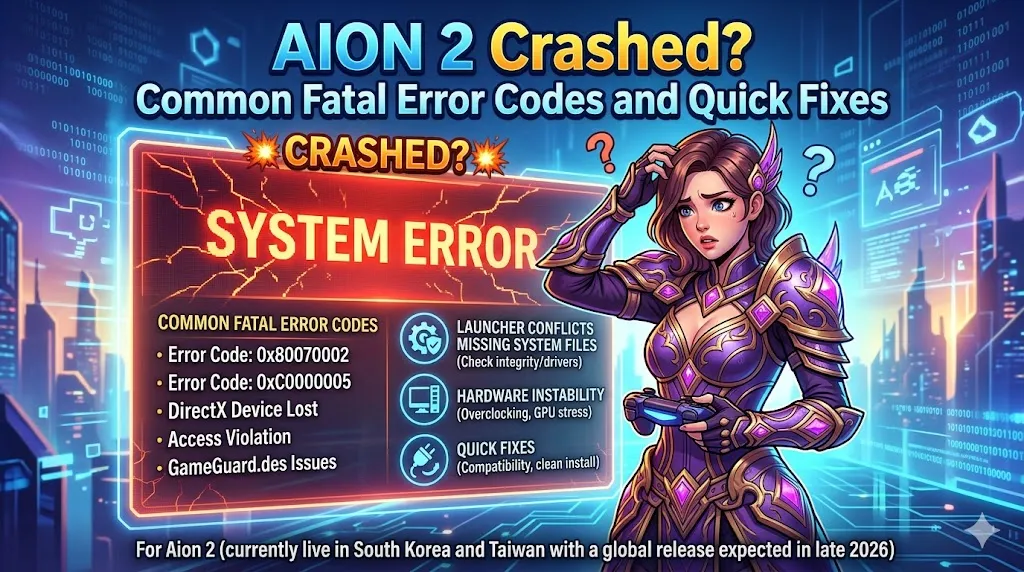
"Aion 2," which is currently available in South Korea and Taiwan with a global release expected in late 2026, has been experiencing "Fatal Error" crashes. These crashes can be linked to several factors, including launcher conflicts, missing system files, or hardware instability. This article will cover the most common fatal error codes players encounter and provide simple, effective fixes to resolve these issues.
Common Fatal Error Codes & Their Fixes
Error 0x0000015 (Launch Failure)
This error typically happens when the Purple launcher (which Aion 2 uses) gets stuck or has trouble initializing the game files.
Fix:
- First, reset the Purple launcher cache.
- Next, open Task Manager (Ctrl + Shift + Esc), look for any processes named purple, such as "purple on NP" or "purple agent," and end them.
- Restart the launcher and log back into the game.
Error 0xE0000027 (Startup/Random Crash)
Players encountering this error might face crashes when launching the game or during gameplay. The root cause is usually conflicts with CPU optimization software or Easy Anti-Cheat (EAC).
Fix:
- Close any background apps that might be affecting the game, such as Process Lasso or ParkControl.
- If the issue persists, add a2.exe (Aion 2's executable file) to your Windows Exploit Protection exclusions list.
- Alternatively, reinstall EAC from the game folder to resolve the issue.
"Fatal Error" (No Code)
This type of fatal error doesn't come with a specific error code, but it usually indicates that essential Windows components are missing or that game files are corrupted.
Fix:
- Install the latest Visual C++ Redistributable All-in-One package. Many players have reported that repairing the Visual C++ files stops this generic fatal error.
- Alternatively, go into your game folder and use the "Repair" option to fix any missing or broken files.
General Quick Fixes for Frequent Crashing
In addition to the error codes above, some players face random crashes during gameplay. Here are some community-verified solutions that could help prevent these crashes:
Downclock RAM (XMP Issues)
Aion 2 players with high-speed RAM profiles (like 6400MHz) have noticed crashes due to unstable RAM speeds. This is particularly common for users with XMP (Extreme Memory Profile) settings.
Fix:
- Lower your RAM speed by 100-400MHz in the BIOS settings (for example, from 6400MHz to 6000MHz).
- This can help stabilize the game and prevent random crashes during gameplay.
Disable Overlays
In-game overlays are often used by programs like Discord, Nvidia, and the Purple launcher. While they are useful for notifications and streaming, they can conflict with the game's rendering process and cause crashes.
Fix:
- Disable all overlays from programs like Discord, Nvidia GeForce Experience, and the Purple launcher.
- Restart the game to see if the crashes stop.
Check Windows Updates
Some players have experienced issues with black screens or launch crashes after updating Windows. One specific update, KB5074109, is known to cause issues for users with Nvidia GPUs.
Fix:
- Check if KB5074109 is installed on your PC. If it is, uninstall it to fix the black screen or launch crash issues.
- After uninstalling, restart your PC and try launching the game again.
Repair Game Files
Sometimes, game files become corrupted or incomplete, causing random crashes. Instead of reinstalling the entire game, you can repair the files directly from the launcher.
Fix:
- In the Purple launcher, click on the "File Scan" or "Repair" button located near the "Start Game" button.
- This will check for corrupted files and replace them, often resolving common crashing issues without needing a full reinstall.
Disable Third-Party Performance Tools
Programs designed to monitor or tweak your system's performance, like MSI Afterburner or Rivatuner, can sometimes cause crashes by interfering with the game's anti-cheat system or stability.
Fix:
- Before launching Aion 2, disable any third-party tools such as MSI Afterburner or Rivatuner.
- These tools can cause conflicts with the game, leading to fatal errors or crashes.

Additional Tips to Prevent Crashes
- Update Graphics Drivers: Ensure that your graphics drivers, particularly for Nvidia or AMD GPUs, are up-to-date. Outdated drivers can often cause crashes and poor performance.
- Check for Hardware Issues: If crashes continue despite trying the fixes above, it could be a sign of unstable hardware, such as overheating or RAM issues. Ensure your system is properly cooled and running stable hardware components.
- Verify Internet Connection: Sometimes, poor internet connections or high latency can cause crashes during online play. Ensure that you have a stable internet connection before starting the game.
- Disable Antivirus Software: Occasionally, antivirus programs might block or interfere with the game's launch. Try disabling your antivirus temporarily to check if it's causing the issue.