购物车

购物车空

继续购物
总计 ¥0.00
结算
首页 / 博客
Forza Horizon 6 Audio Crackling: How to Fix It
Zubo
May 18, 2026
3932

Audio crackling in Forza Horizon 6 can be annoying, especially when you're in the middle of a high-speed race or exploring Japan's scenic roads. The main culprits are VRAM memory leaks, Bluetooth controller conflicts, and spatial audio processing under heavy load. 

1. Fix VRAM-Related Issues (NVIDIA/AMD GPUs)

Forza Horizon 6 can sometimes use too much VRAM, causing both audio crackling and micro-stutters.

What to do:

  • Turn off Frame Generation: This reduces aggressive VRAM buffering that can desync audio.
  • Lower Texture Quality: Drop textures from Ultra → High to keep VRAM usage safe.
  • Restart Game Periodically: If crackling appears after long sessions, restart the game to clear VRAM caches.

2. Switch from Bluetooth to Wired Controller

Bluetooth controllers may overload a CPU thread by constantly polling for audio signals, leading to crackling.

Fix it by:

  • Use USB: Connect your controller directly via USB. This frees the CPU and stabilizes audio.

3. Disable Spatial Audio and Enable Mono

Heavy rendering can break 5.1 or 7.1 audio channels, causing static or popping sounds.

Steps:

  • Turn off Spatial Sound: Right-click your speaker icon → Spatial Sound → Off.
  • Enable Mono Audio: Search “Mono Audio” in Windows → Toggle ON. This merges conflicting channels, removing static.

4. Lower Windows Audio Sample Rate

High-resolution audio sometimes conflicts with the game.

How to adjust:

  1. Open Control Panel → Hardware and Sound → Sound.
  2. Right-click your playback device → Properties → Advanced tab.
  3. Set Default Format to 16-bit or 24-bit, 44.1kHz or 48kHz.
  4. Click Apply → OK.

After adjusting your Windows audio settings and lowering the sample rate to 16-bit or 24-bit at 44.1kHz or 48kHz, your Forza Horizon 6 experience should be much smoother with minimal audio crackling, letting you focus on the races and exploration. For players looking to maximize their progression, SHANNENG offers a reliable way to quickly buy Forza Horizon 6 (FH6) Wheel Spins & Skill Points, so you can enhance your cars and level up faster without the grind.
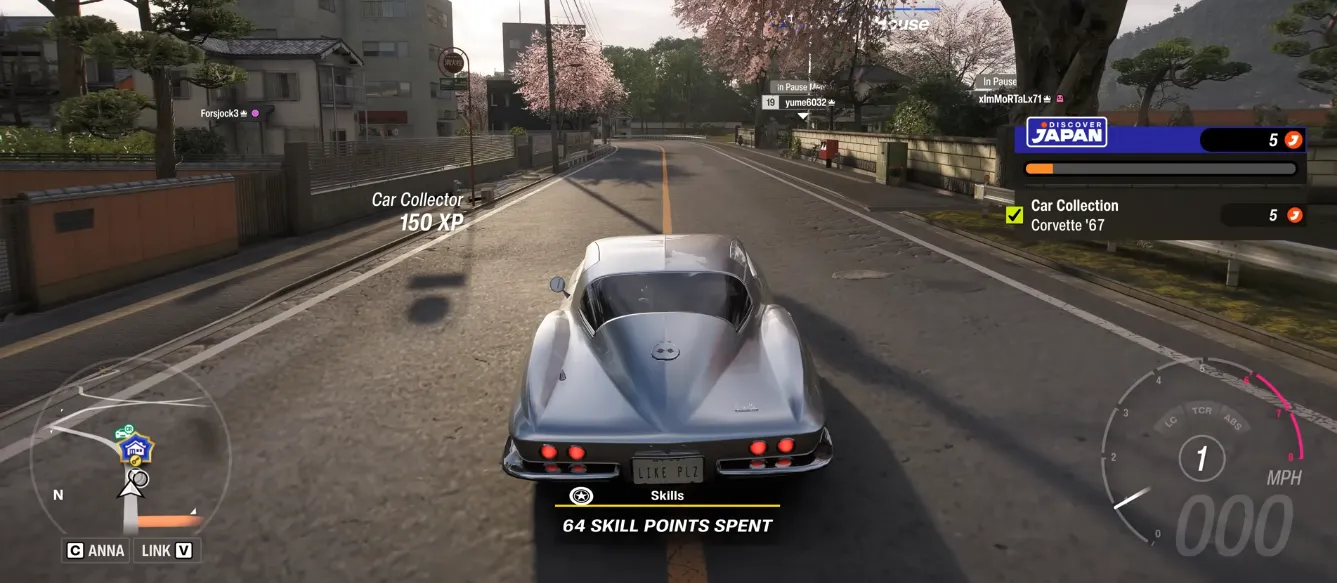
Forza Horizon 6 Car Collector

5. Disable Hands-Free Telephony (For Bluetooth Headsets)

Windows may force headsets into low-quality “phone mode,” causing crackling.

Steps:

  1. Press Windows + R, type control printers → Enter.
  2. Right-click your headset → Properties → Services tab.
  3. Uncheck Hands-Free Telephony.
  4. Apply changes and restart your PC.
Buy Forza Horizon 6(FH6) Credits

Following these steps should solve most audio crackling issues in Forza Horizon 6, whether you're using a high-end gaming rig or just a mid-range PC. With VRAM leaks patched, wired controllers, and simplified audio settings, your racing experience will sound smooth and immersive.

相关文章
流亡黯道2(國際版)
侠盗猎车手5
暗黑破壞神 4
流亡黯道(國際版)
地產大亨 GO!
火炬之光:無限
辐射76
沙丘觉醒
棒球 25
College Football 27
使命召唤:黑色行动7
侠盗猎车手6
罗布乐思
Madden NFL 27
种植花园
FC 27
NBA 2K27
无烬战争
偷走脑红
森林中的99夜
绝地潜兵2
宝可梦传说 ZA
永恆之塔2
ARC Raiders
创世灰烬
美國職棒大聯盟 26
恐惧之谜
天堂:經典版
Dark and Darker
失落星船:马拉松
VAMPIR:血之繼承者
暗黑破壞神 2: 獄火重生
英雄围城(Hero Siege)
晶陨(Crystalfall)
天堂W - 东南亚服
帝国神话:王权